AI can describe your website. Your code decides what it finds.
Point to anything on your screen, ask what it is, and get an answer back. Since July, blind and low-vision Mac users can do exactly that. Be My Eyes announced at the National Federation of the Blind convention in Austin that its AI-powered visual assistance is now on macOS. The launch includes Be My Eyes for Mac, free for personal use, and a macOS version of Be My Eyes Workplace for employers. The tool was already on Windows, so users now get on-screen descriptions on either platform.
That’s good news. It also raises a question for anyone who builds or manages a website: when someone asks an AI tool to explain your page, what does it actually have to work with?
How AI changes the way people move through a page
Screen readers move through a page in order, announcing each heading, link, and paragraph. The user decides what matters. In a June post for the Agentic AI Foundation (AAIF), Phillip Lamb and Liad Yosef describe how AI flips that. Instead of hearing everything, a user can ask what on the page is relevant to them and get a conversational answer back.
The authors are also clear about where it falls short. They share the example of a blind developer who built a tool with AI help, only to learn from a sighted colleague that the bottom half of the on-screen text was cut off. The AI never mentioned it. They call that an omission rather than a hallucination, and it’s a useful distinction. An AI tool can only report what it can find, and it won’t always tell you what it missed.
The accessibility tree is doing double duty
Here’s the part that matters for your site. According to the same post, Google’s guidance on building agent-friendly websites points developers to the accessibility tree, the same structured layer screen readers have always relied on. The authors argue that making a site readable for AI agents and making it accessible are largely the same engineering problem.
They’re careful not to overstate it, and we agree. An agent can parse any structure you give it. A person still needs plain language, a reasonable pace, and an interface that doesn’t overload them. AI assistance sits on top of accessible design. It doesn’t replace it.
So the basics still carry the weight:
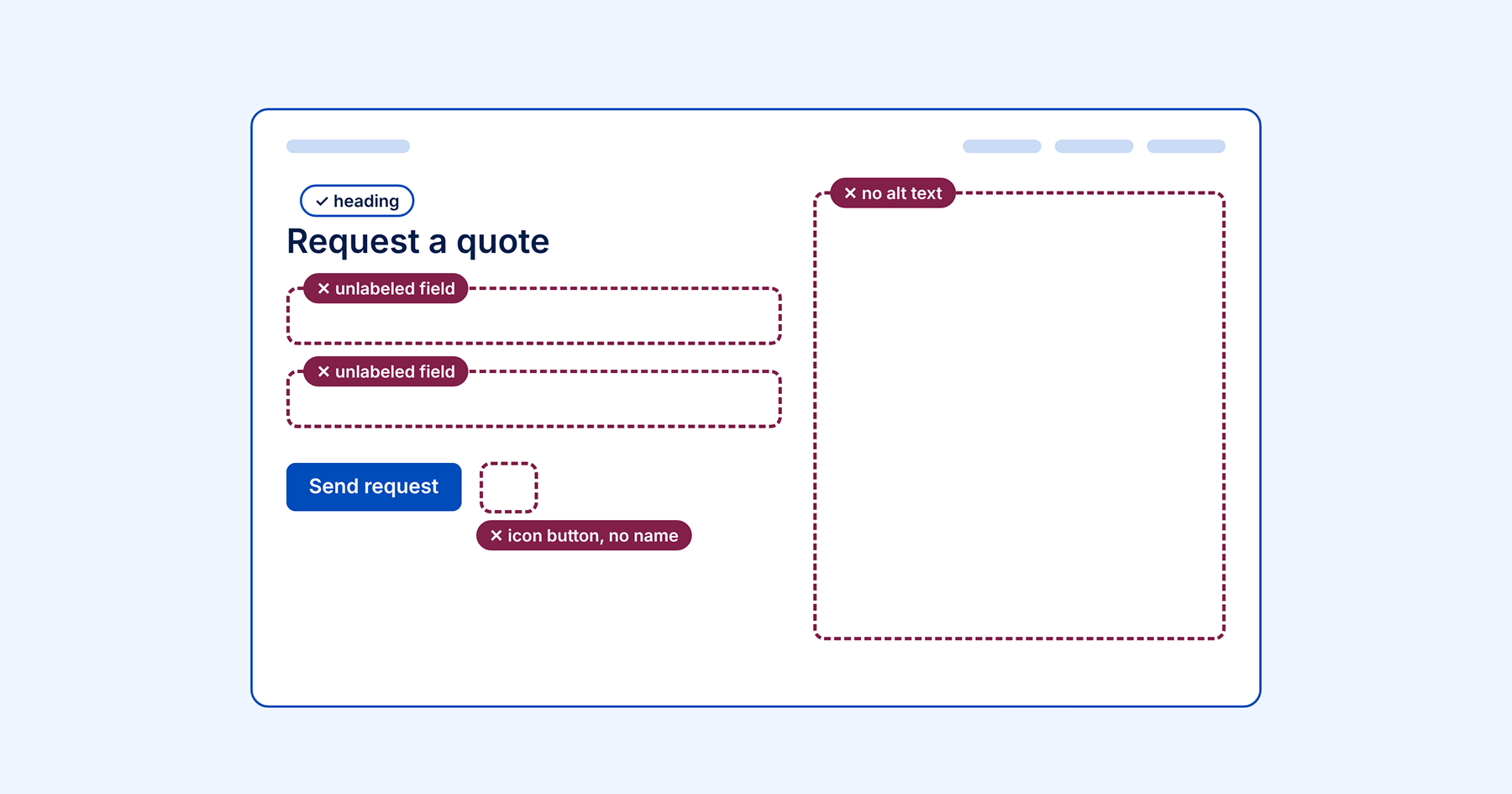
- Images need alt text that describes what they show.
- Form fields need labels that are programmatically tied to the input, not placeholder text standing in for one.
- Headings should follow a logical order, so both people and tools can understand how the page is structured.
- Buttons and links need names that make sense out of context.
When those are missing, a screen reader user hits a barrier. An AI tool working from the same page hits the same one, or quietly works around it and guesses.
The AAIF authors make one more point worth repeating: alt text, captions, and semantic HTML written over decades helped make today’s language models possible in the first place. Accessible content has been paying off in ways nobody planned for.
What this means for your accessibility work
New assistive technology doesn’t change what you need to fix. It raises the stakes for fixing it. Accessible Web RAMP helps you find those foundational violations, from missing alt text to unlabeled form fields, with automated page monitoring across your site. Automated scanning catches about 30% to 50% of accessibility barriers, so RAMP also includes the Guided Manual Audit Tool to walk you through checking against every Web Content Accessibility Guidelines (WCAG) success criterion. Remediation Tasks and Remediation Instructions then help your team organize and track the fixes over time.
See how RAMP works on your own site with a free 14-day trial, no credit card required.
Want a guided walkthrough first? Book a demo with one of our digital accessibility specialists.
Keep learning with us
AI was also the topic of our October 29 webinar. Heather Berg, CPACC (Certified Professional in Accessibility Core Competencies), Digital Equity Specialist, and Gianna Barnhart, Sales Manager, covered the barriers AI-generated content is creating, where AI can help, and why human review still matters. Watch the recording of Is AI Making the Web Less Accessible?
We’re not done with AI yet. On November 19, Shannon O’Connor, AI Integrator, followed up with a closer look at vibe coding: how common it’s become, what it’s doing to accessibility, and how to protect your site if you’re building with AI. Watch the recording of Vibe coded and inaccessible? What AI-built sites get wrong
Then on December 17 at 2 PM EST, Heather returns to look at AI-powered assistive technology, from image descriptions to real-time captioning, including where these tools fall short and what they mean for your responsibility to build an accessible site. Register for AI-powered assistive technology
And if you want to hear directly from the people building assistive technology, Sight Tech Global returns December 8–9, 2026. The conference is free, fully virtual, and benefits the Vista Center for the Blind and Visually Impaired. Every session includes people who are blind or visually impaired, which is exactly how these conversations should happen.
