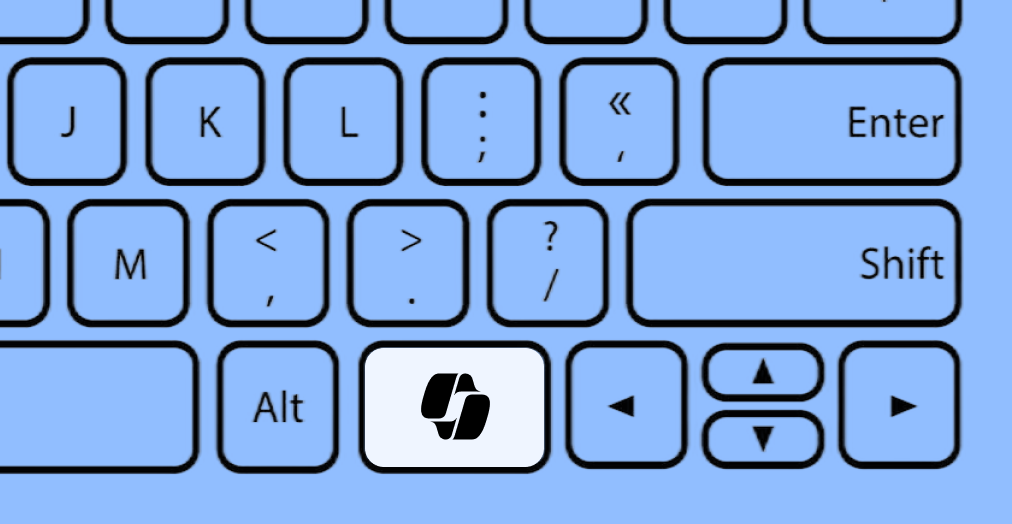
When Hardware Breaks Accessibility: The Story of Microsoft’s Copilot Key
When we talk about digital accessibility, our minds almost always jump directly to software. We think about fixing broken image alt text, optimizing website navigation layouts, or cleaning up code so a screen reader can gracefully parse an e-commerce page.
But true accessibility is a fluid ecosystem in which hardware and software must seamlessly cooperate. When a massive tech company alters physical hardware design without keeping accessibility fundamentals in mind, the results can immediately break critical workflows for power users and disabled individuals alike.
The Case of the Dedicated Copilot Key
Recently, Microsoft made a significant hardware push by introducing a dedicated, physical “Copilot key” on new Windows 11 keyboards. The goal was obvious: give everyday consumers instant, one-touch access to their AI assistant.
However, to make room for this new button, Microsoft altered a keyboard region that power users, developers, and assistive technology users have relied on for decades. The new key layout frequently disrupted or completely removed either the Right Control (Ctrl) key or the traditional Context Menu key (the button that acts as a right-click tool for keyboard-only navigators).
Breaking the Assistive Workflow
For individuals who navigate computers entirely without a mouse, including blind professionals utilizing screen readers or individuals with motor disabilities using specialized switch devices, the loss of standard modifier keys is a massive barrier:
- Keyboard-Only Navigation: The Context Menu key is a critical shortcut that allows keyboard-only users to open right-click options instantly on any selected element without needing precise mouse control.
- Muscle Memory and Shortcuts: The Right Ctrl key is vital for executing quick, one-handed hotkeys and shortcuts, especially when navigating heavy development software, spreadsheets, or accessibility testing suites.
Microsoft has officially admitted that this dedicated Copilot key layout inadvertently broke certain vital user workflows. In response to feedback from power users and the accessibility community, Microsoft confirmed plans to roll out an update allowing users to remap the Copilot key natively to Right Ctrl or Context Menu functions, restoring the essential physical layouts users depend on.
The Universal Takeaway: Listen to Your Users
There is a powerful lesson here for product managers, software developers, and business owners: innovation should never come at the expense of core usability.
Whether you are designing a physical keyboard or engineering a complex website layout, keeping design predictable and easy to understand benefits everyone. When you introduce a major feature change, such as forcing a new AI widget or altering a familiar layout, you must rigorously test it against keyboard navigation fundamentals and actual assistive technologies.
If you’re interested in learning more about the intersection of everyday usability and disabled experiences, we highly recommend checking out design advocacy media such as the Critical Design Lab platform, which hosts deep dives into the lived realities and human stories behind disability, space, and design.
Innovation is exciting, but true technological progress is inclusive by default. When we change how the world interacts with our products, we have to make sure we aren’t locking our most dedicated users out in the process.
Is your digital product keyboard-friendly?
Ensuring your website or app works perfectly without a mouse is one of the most critical pillars of WCAG 2.1 AA compliance. Let our team of real accessibility experts test your platform and ensure your workflows are seamless for everyone.
For a broader perspective on the power of inclusive design, you can watch the TED Talk When we design for disability, we all benefit, which explores how prioritizing accessibility leads to universal technological solutions.
