Worried about WCAG SC 1.4.5 Images of Text?
There’s an easier way. Accessible Web RAMP guides your team through every WCAG success criterion, 1.4.5 included.

Teams rely on RAMP to make accessibility happen.


How RAMP takes SC 1.4.5, and every other criteria off your plate
Most WCAG work stalls in the same few places. Here’s how RAMP gets you unstuck.
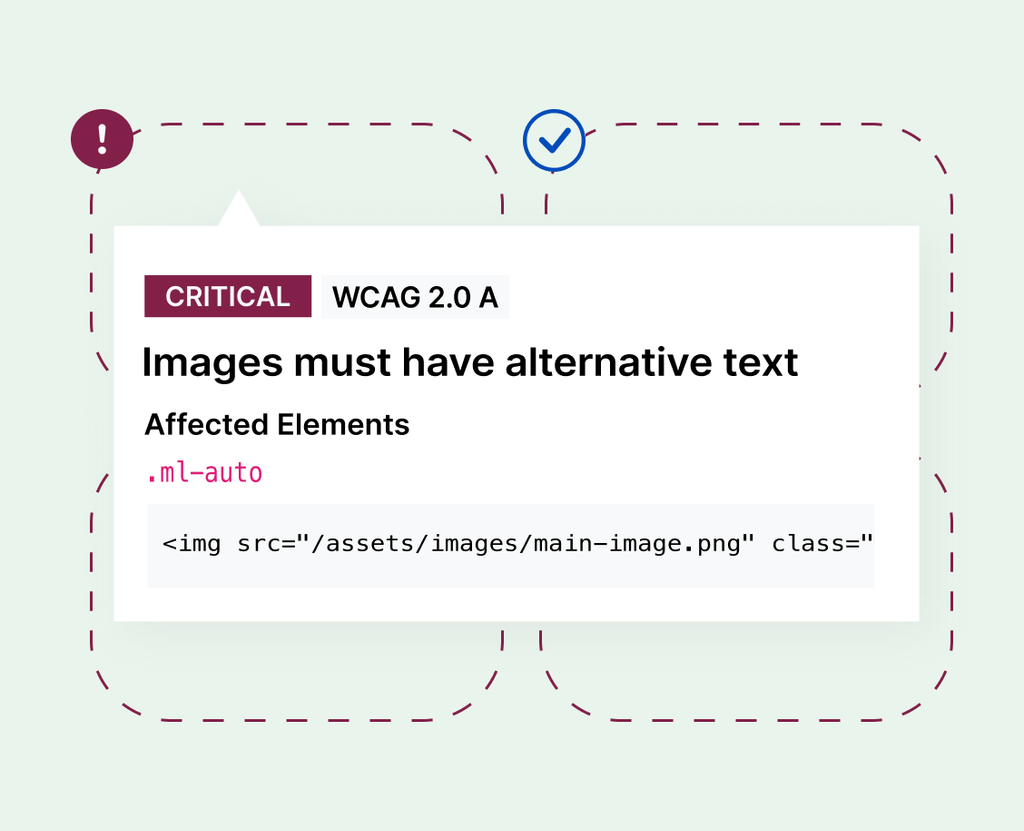
Not sure how to test for it?
RAMP monitors for new violations on whatever schedule you set, and the guided manual audit walks you through the checks a scanner can’t make.
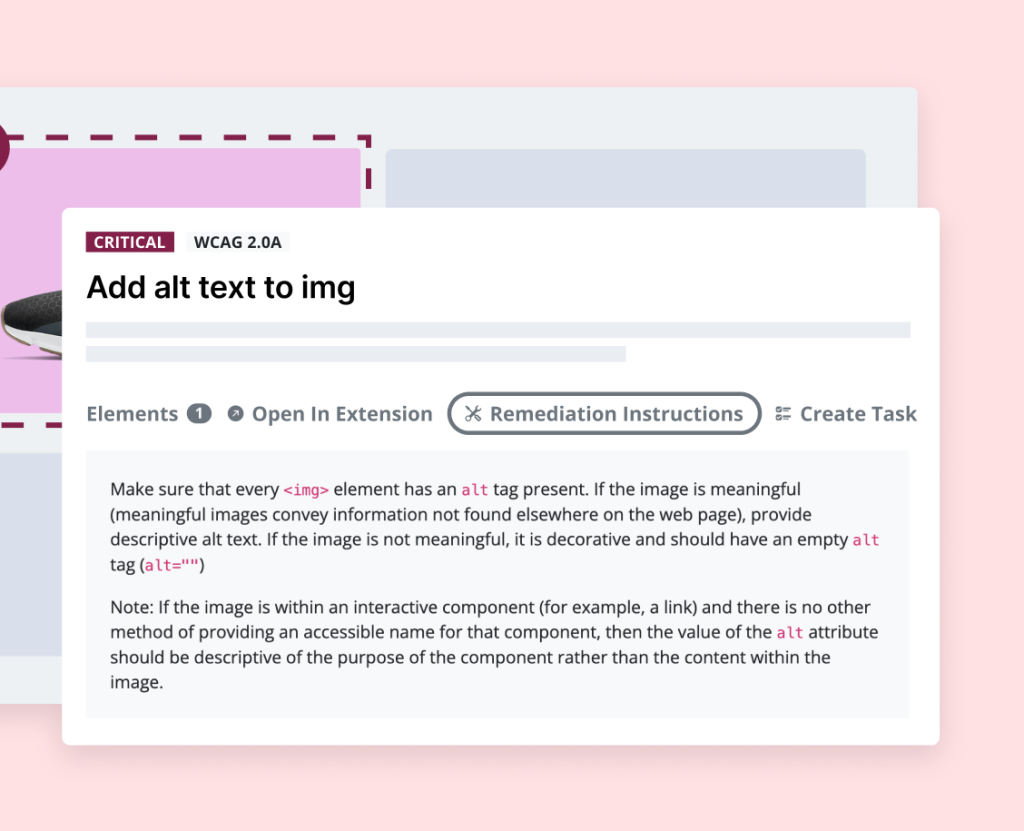
Found an issue but not the fix?
Every issue comes with plain-language fix instructions, written by accessibility specialists.
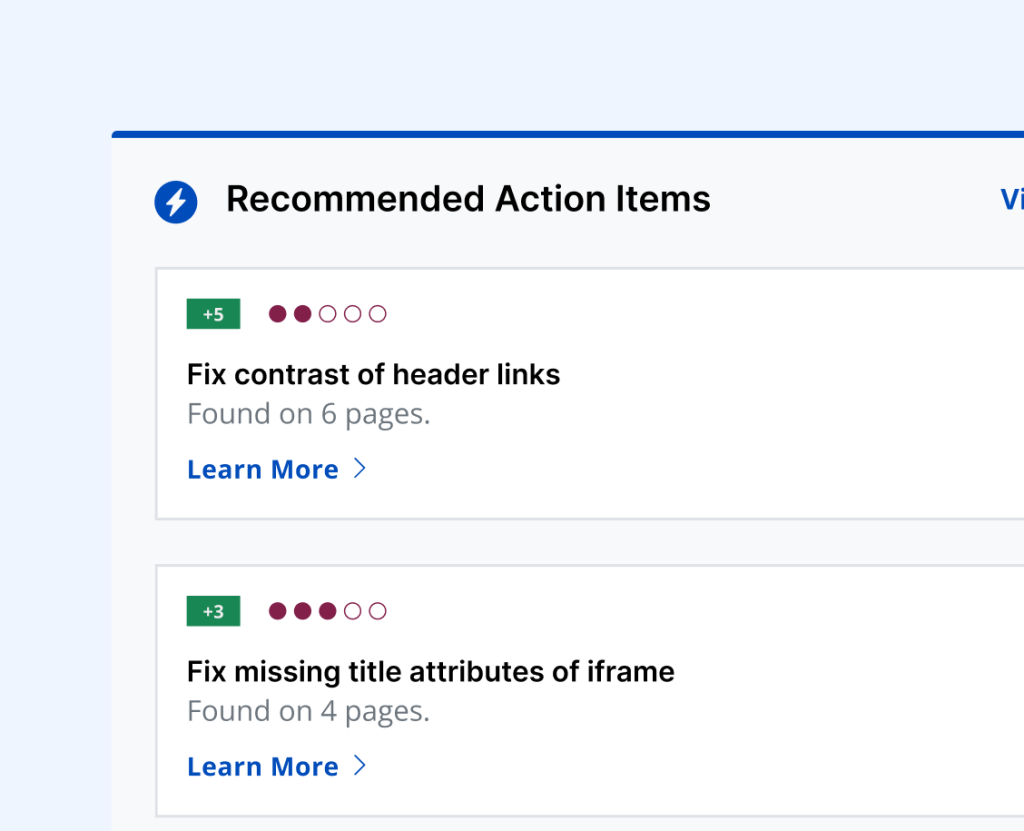
Too many issues to know where to start?
Recommended Tasks ranks what RAMP’s automated scans find by how often each issue appears.
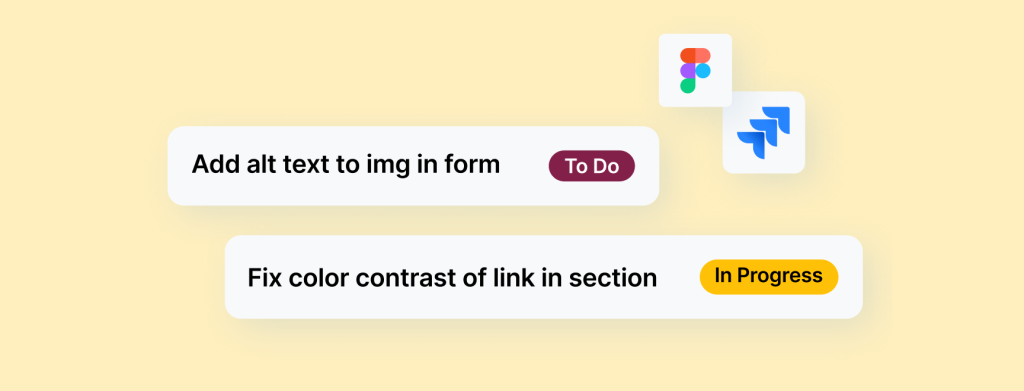
Fixes getting lost between people?
Turn any issue, from a scan, manual test, or user report, into a task in one click and push it to Jira.

Stuck on an edge case?
The Pro and Pro+ plans include access to specialists to verify your work and answer WCAG questions.
Less to manage, more to show for it

One place for the whole job
Testing, instructions, tasks and progress tracking live in RAMP, so your team isn’t jumping between tools.

Proof you can share
The Compliance Center tracks your progress toward the laws that apply to you, and your audit results build the record behind your VPAT.

Keeps up as your site changes
Scheduled monitoring rescans your pages on the schedule you set and flags new scannable issues as content goes live.
Achieve and maintain compliance
A demand letter cites a specific law, not a vague idea of accessibility. Nearly all of them point back to the same standard: WCAG.

ADA Title II

AODA
ADA Title III
ACA
Section 508

EAA
“Instead of using 4 or 5 tools, we’re able to use RAMP. It just streamlines everything, which ultimately means that it pays for itself.”
— Drew M, Fast & Light Co-Founder
Built with designers, developers, & QA experts in mind
From task management to reporting, RAMP fits the tools your team already uses, whatever your role.

Recommended Tasks
RAMP automatically prioritizes barriers by frequency so you can turn them into tasks.

Site-Level Reporting
An actionable top-level automated accessibility report of your website’s health.

Jira Integration
Push remediation tasks to Jira to sync statuses and work where you’re used to.

Websites & Users
Invite your team and manage your whole portfolio in one spot.

Accessible Web Academy
Power up your web accessibility knowledge with courses relevant to your job description.

Figma Annotation Kit
Plug in dedicated accessibility annotations into your designs from the start.
Less guesswork, and a lot less on your plate
RAMP helps you along the way, from uncovering the issue to guiding you through the fix.
Before RAMP
- Scanners flag some issues and miss the ones a person has to check
- Fix guidance is generic, so your team has to research each issue
- Results, fixes and progress live in separate tools
With RAMP
- Automated scanning plus guided manual audits for what a scanner can’t check
- Plain-language fix instructions, written by accessibility specialists
- Testing, tasks and progress tracking in one place