Building Blocks of Accessibility Remediation
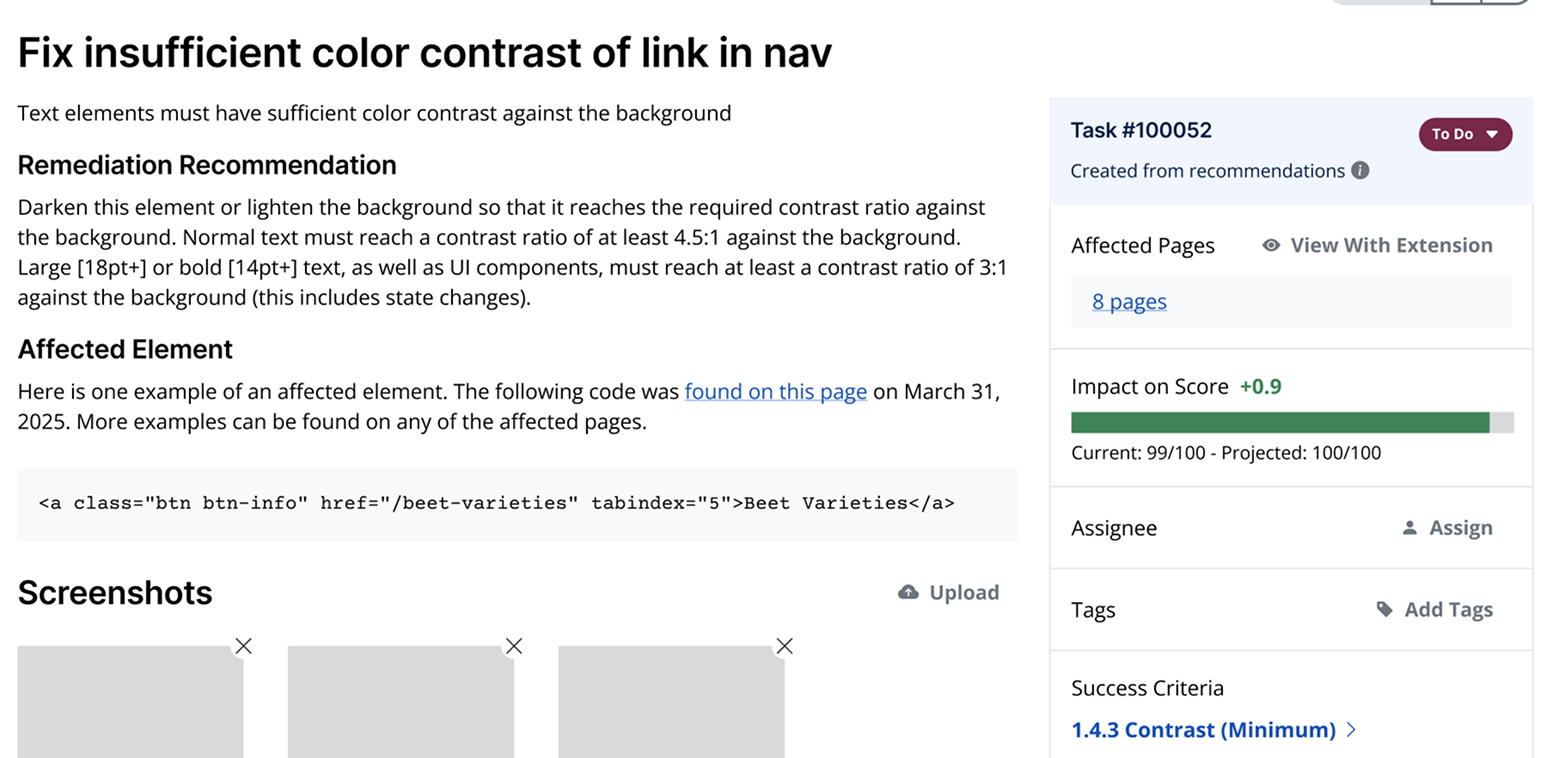
Remediation tasks make it easier to fix WCAG violations. With instructions for fixing the violation, a transparent estimate of the potential impact on the accessibility score, and links to the page with highlighted code, the key to accelerating your accessibility remediation journey is here.
Easy Synchronization
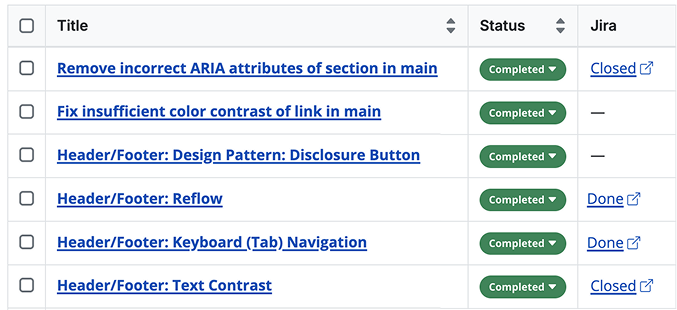
Integrate your accessibility efforts into your existing workflows by linking your tasks wherever you need to collaborate. Working in Jira? No problem.
Learn more about our accessibility task management features.
Website Accessibility Remediation Built for Teams
Keep priorities organized with team member assignments, visible team activity, comments, tags, and more. Whether you’re a small or large team, keep track of your entire accessibility remediation progress in one place.
This feature is available on all Accessible Web RAMP plans.
Ready to Get Started? Try RAMP for Free
Sign up for a free 14-day trial of RAMP and start discovering web accessibility issues on your website within minutes.
(14-day free trial – no credit card required)
Hear directly from our customers

“RAMP not only provides us with a list of remediations but is also a source of truth, tooling and automation on our journey to accessibility certification.”
— Anonymous user, Fintech Industry
“[RAMP] catches many accessibility issues in an automatic, recurring method, and gives great advice on how to correct it.”
— Deneb P, Developer
“Being provided with the troublesome code, suggested remediation and the ability to rescan individual pages to confirm successful remediation has been huge.”
— Joshua B, Developer
FAQ
-
Remediation tasks include specific remediation instructions, a failure description, the affected page(s), and relevant code snippets to allow your team to effectively organize, assign, and fix the accessibility issues.
-
While Accessible Web uses some automated features to rank accessibility issue priority and severity, we still focus on expert human assistance and real-user testing.
-
While you can start with automatic testing, to fully audit a website for accessibility, a manual audit is essential to find 100% of all Web Content Accessibility Guidelines (WCAG) violations. The Accessible Web RAMP platform supports this with a structured Manual Audit Tool and Grid to guide your accessibility audit from start to finish.
-
Testing website accessibility is achieved through a combination of workflows. Automatic scanning catches a portion of violations. Automated testing uses tools, like the RAMP platform or our Chrome Extension. Use the Accessible Web Helper Chrome browser extension in combination with RAMP for on-page automated scanning and failure highlighting.
To catch the rest of the violations, a full manual audit is needed. This can be achieved by a self-audit using the Manual Audit Tool and Grid in RAMP. You can also use professional third parties to audit your property, such as our WCAG Audits. Finally, assistive technology checks performed by native users should test your property.